Adding a table of contents


|
Adding a table of contents |
|
|
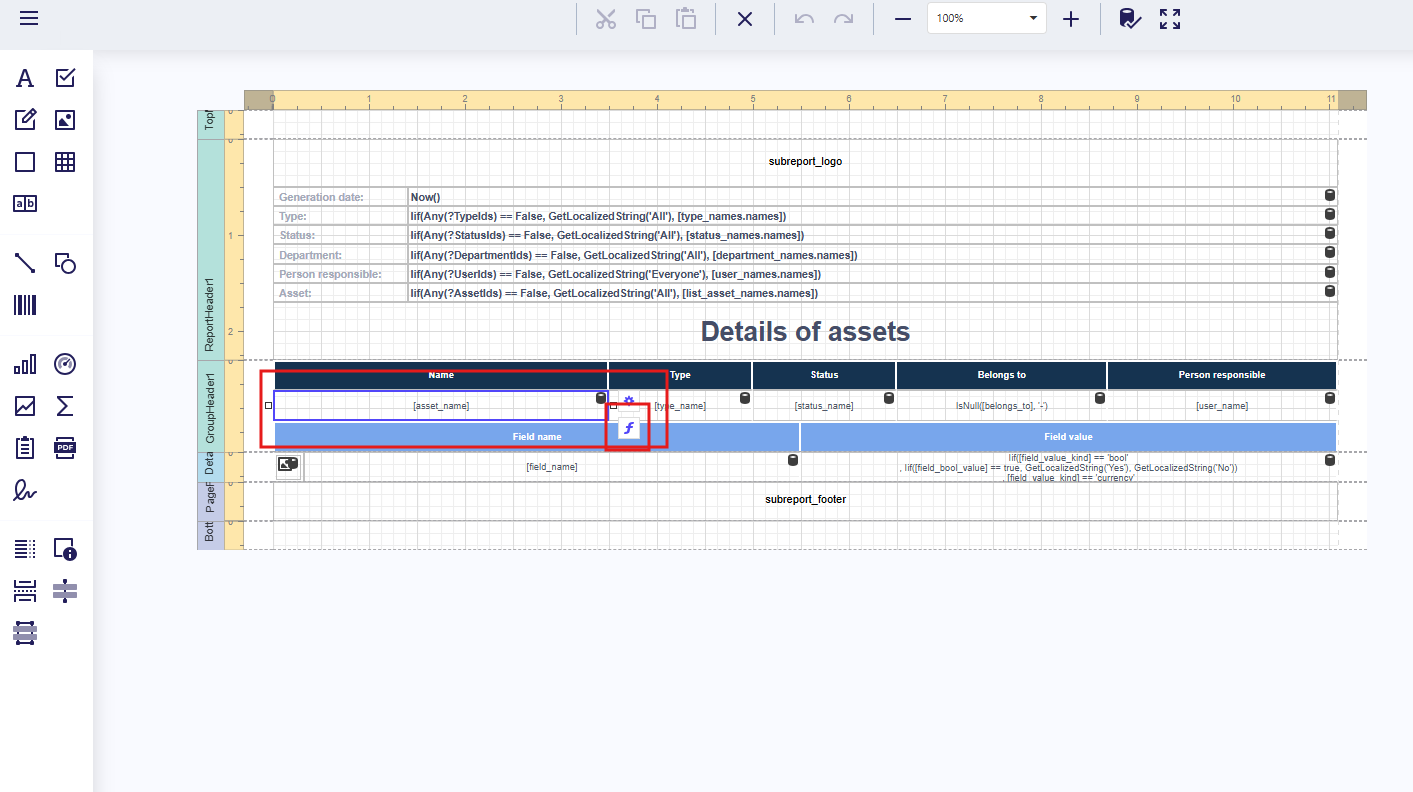
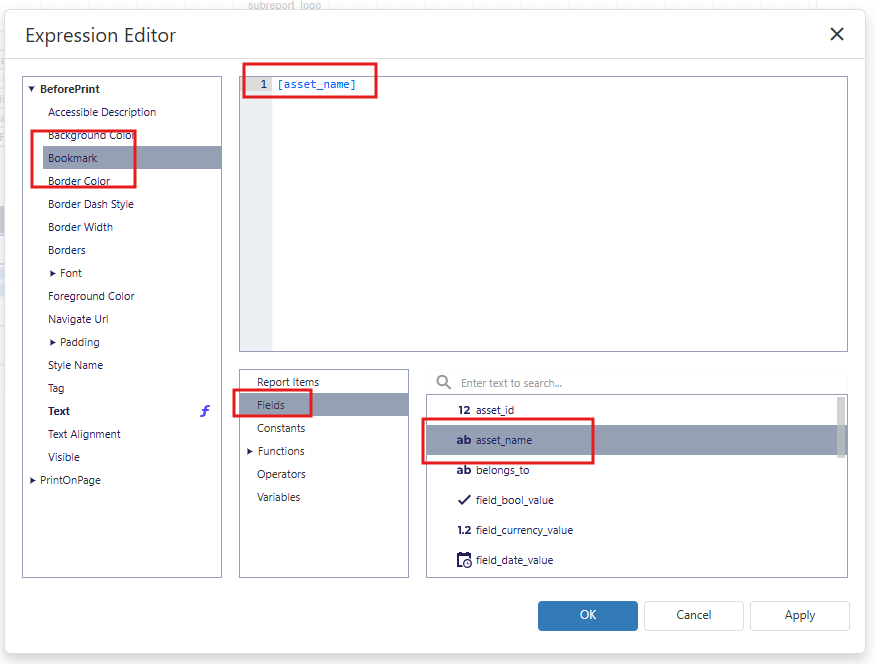
To the Details of assets report, you will add a table of contents. 1.Create a bookmark in the field with the asset name: open the expression editor and fill in the appropriate field.
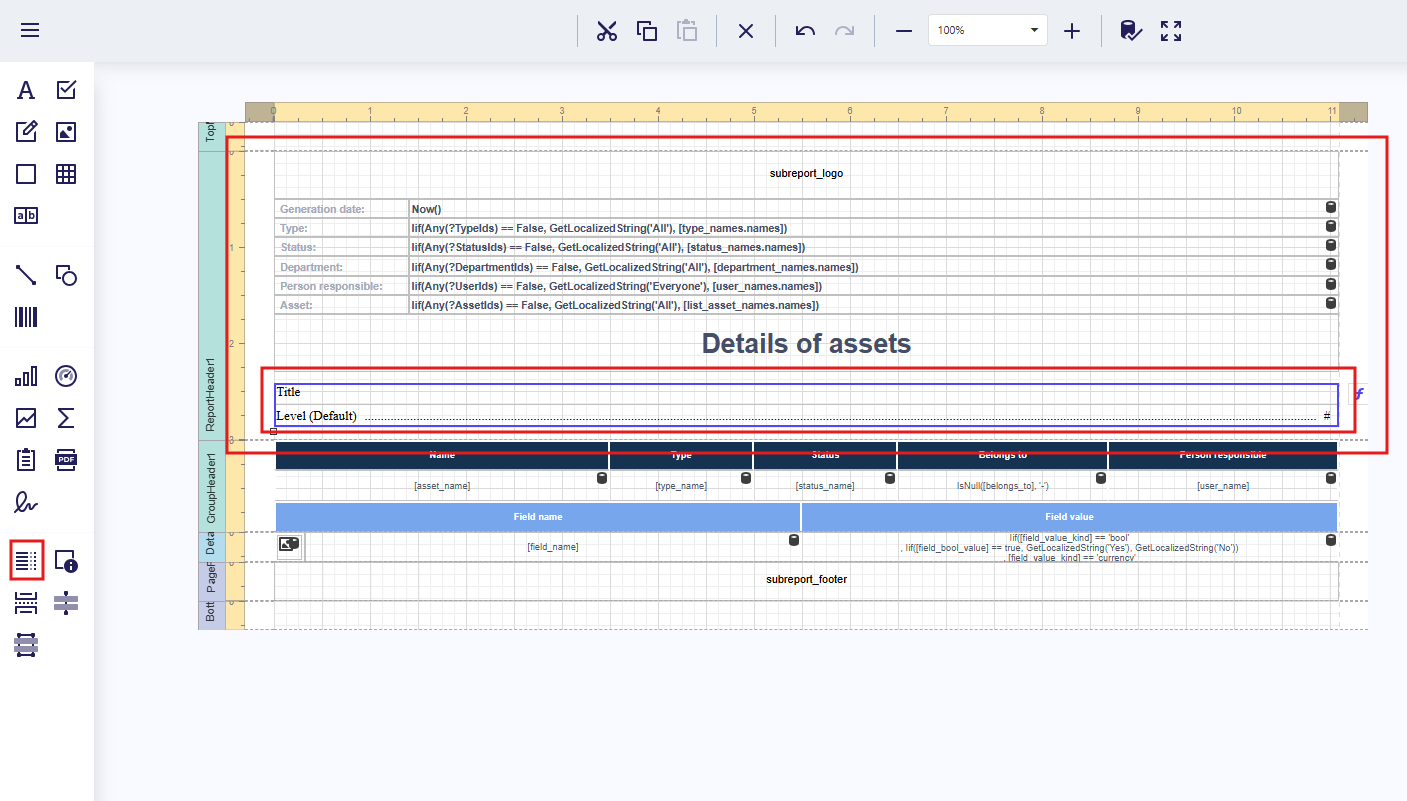
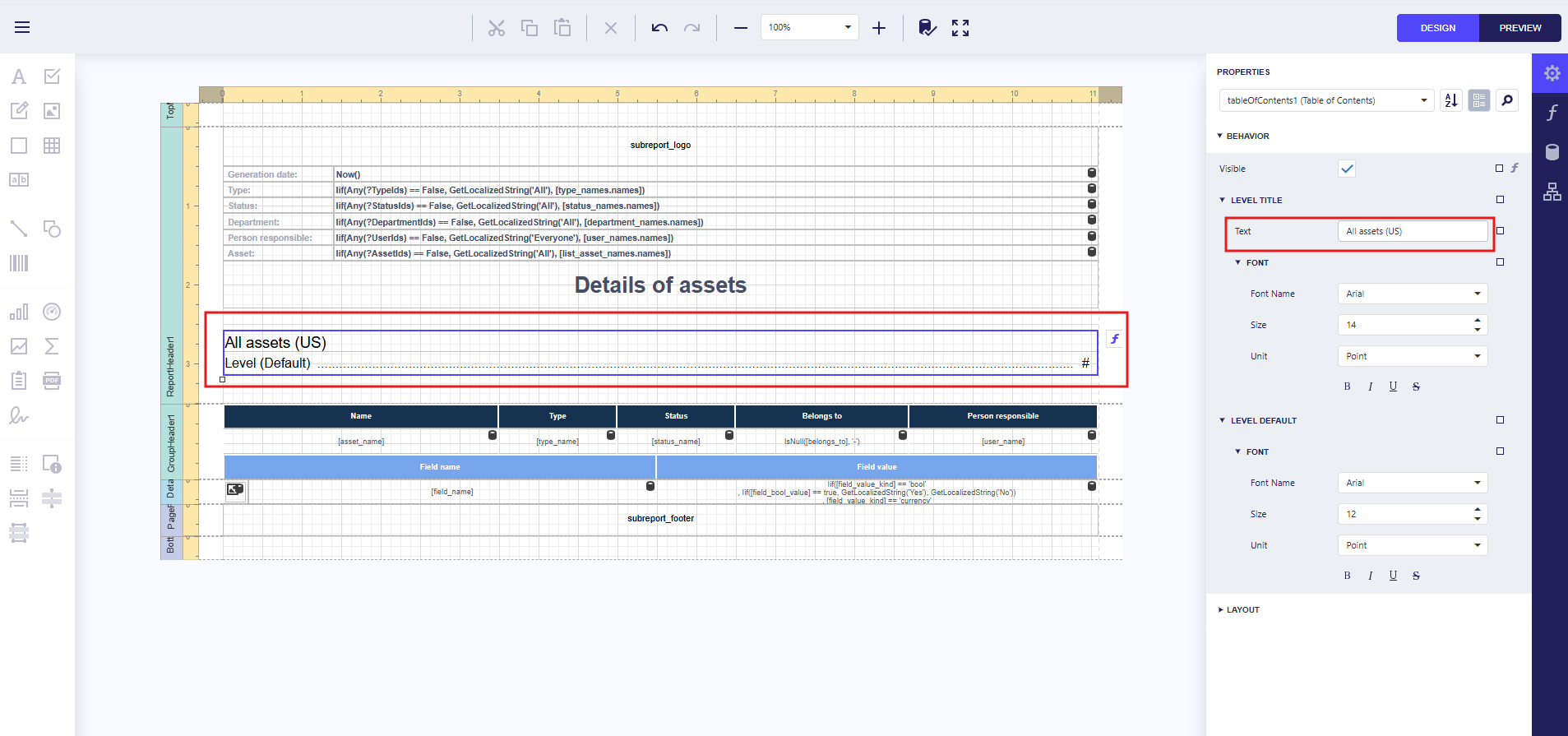
2.Drag the table of contents icon to the report header.
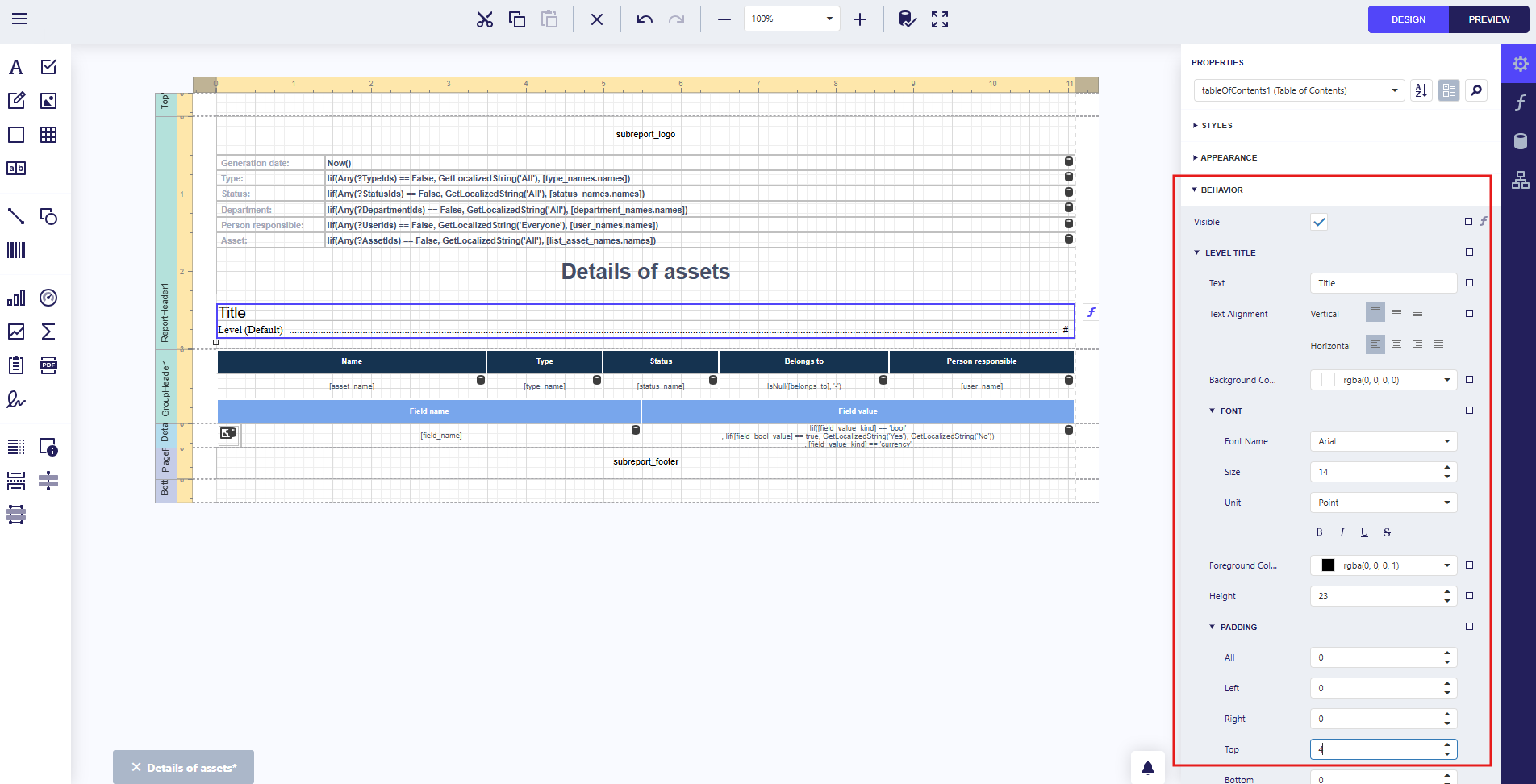
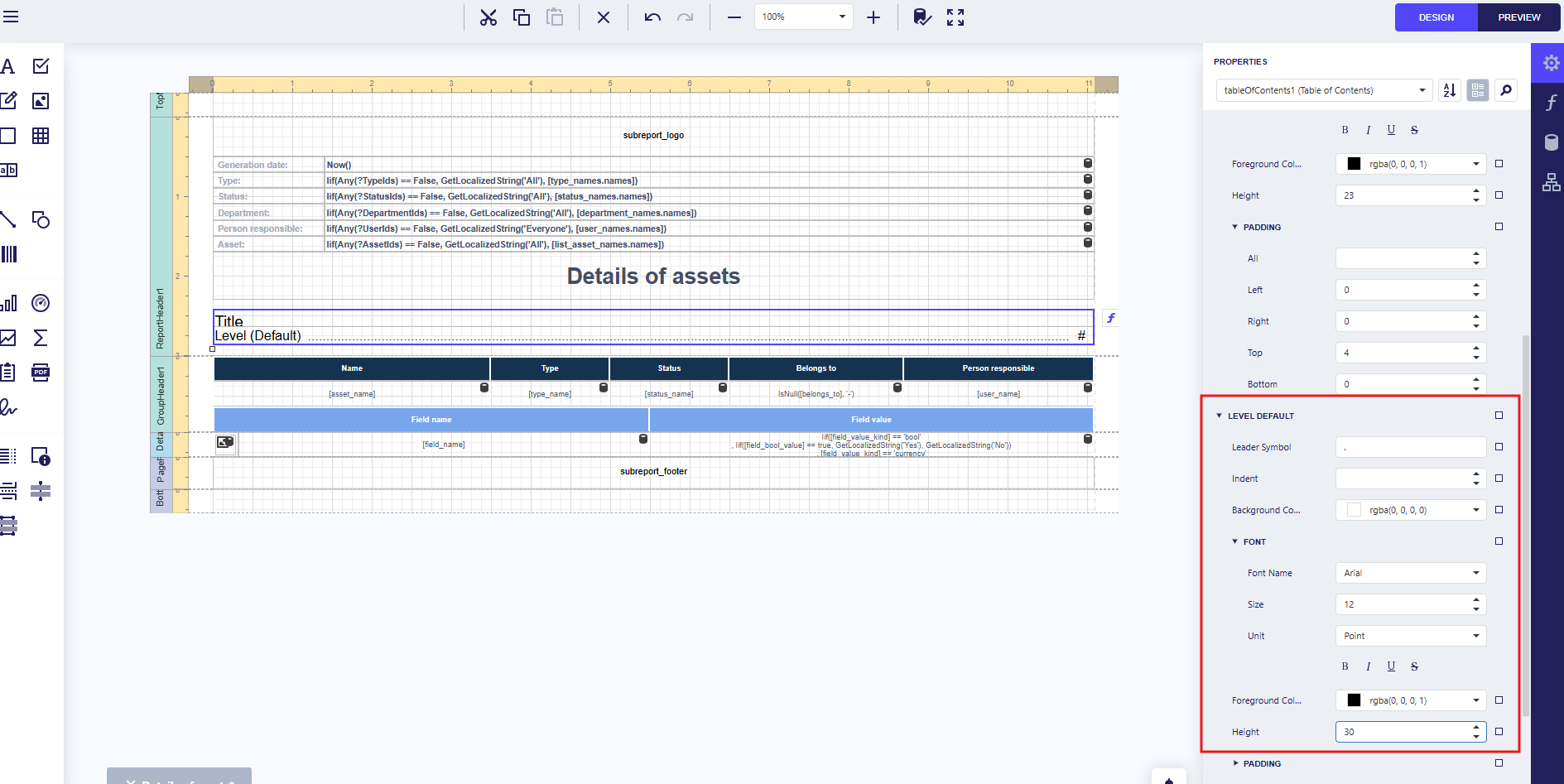
3.Select the table of contents field and adjust its style.
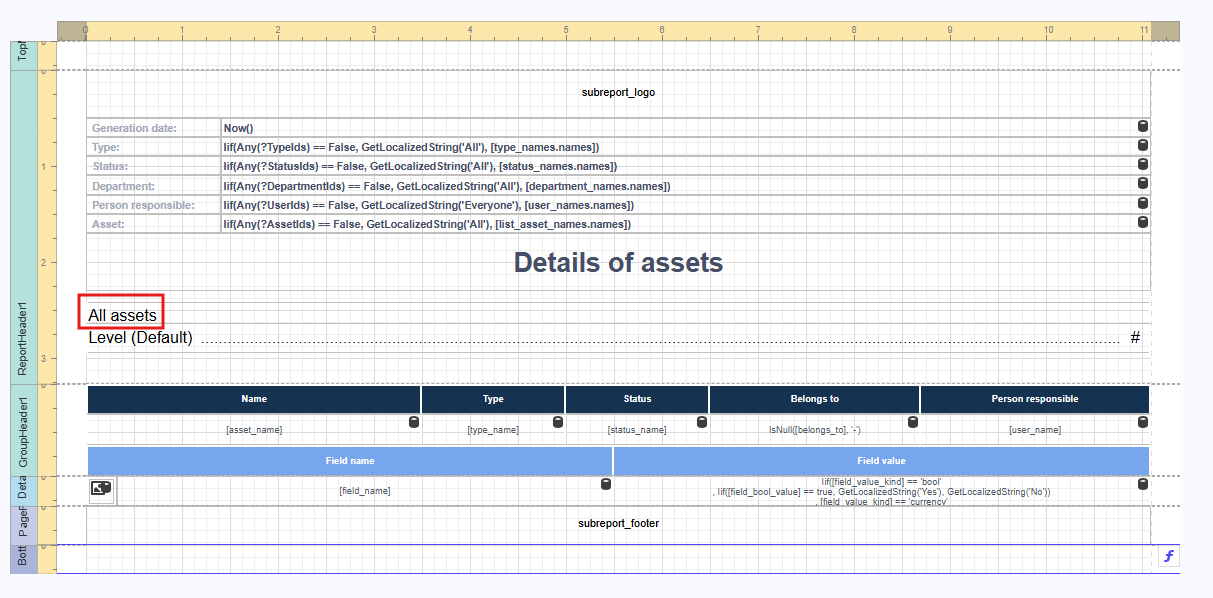
4.Set the title of the table of contents.
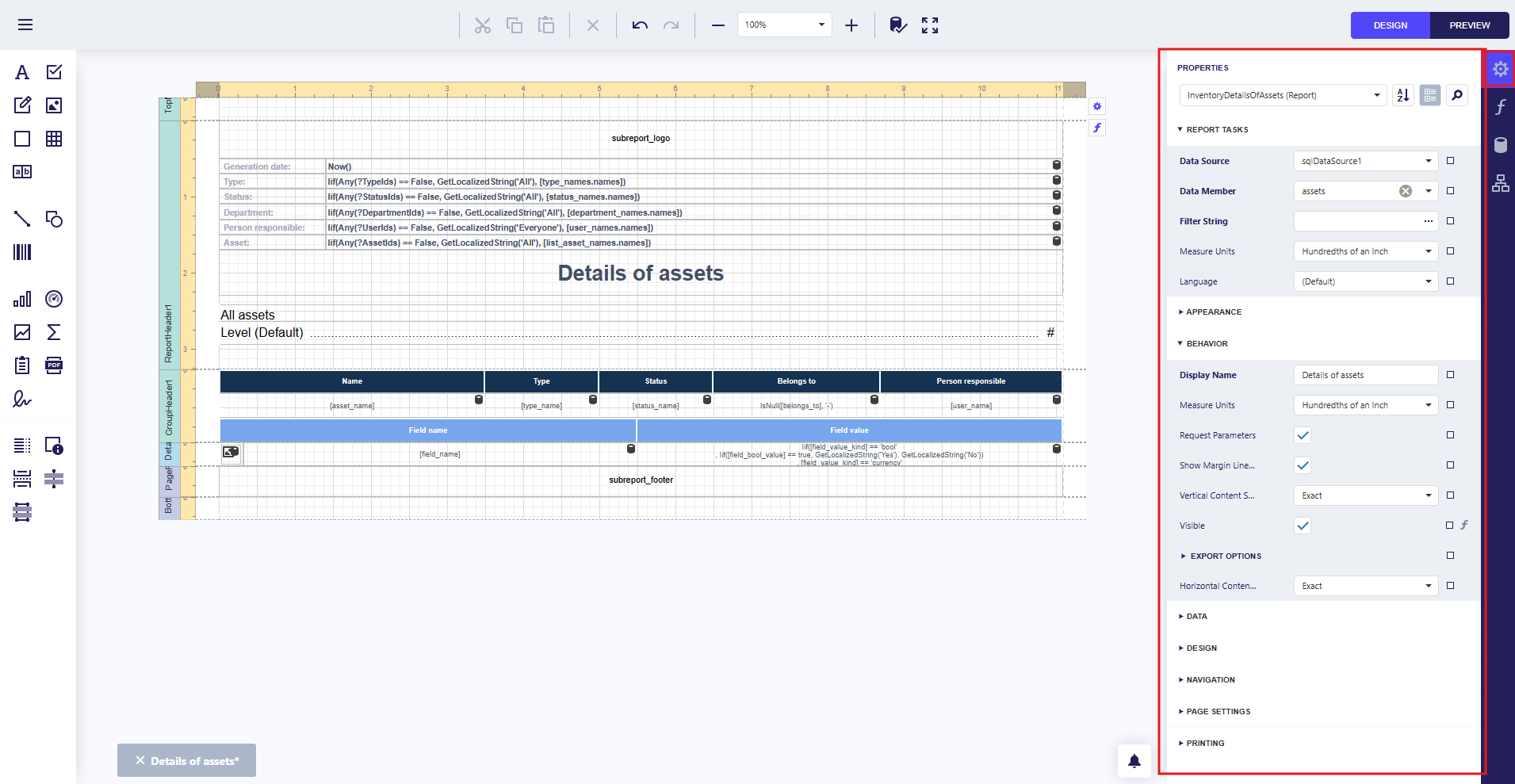
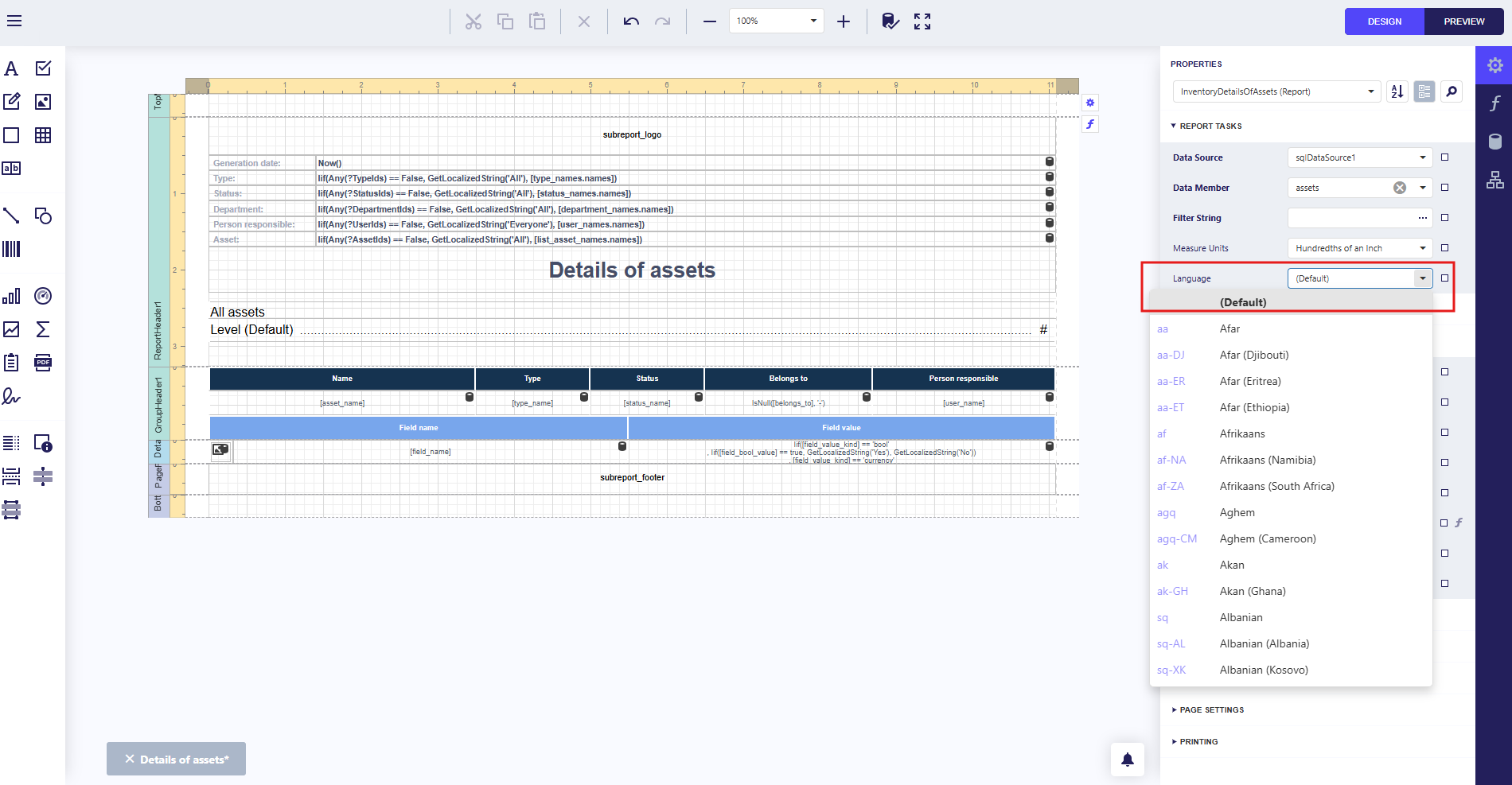
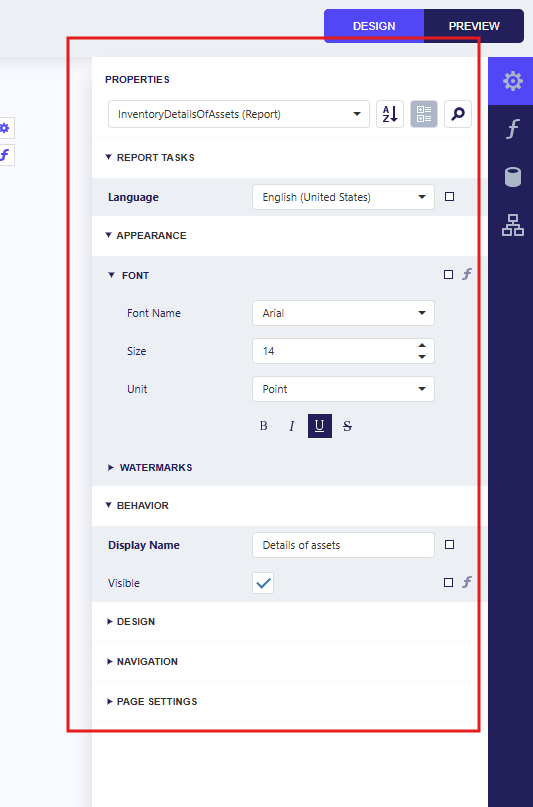
5.Adjust the language version (see Language versions of reports): 5.Click on the main area around the report design – the Settings section opens in the pane. 5.Select the language in which you want to display the report. 5.Adjust the general report properties for this language. 5.Click on the table of contents area in the report design and enter the title for the selected language. 5.Exit language editing: click on the main area and, in the settings, restore the default language.
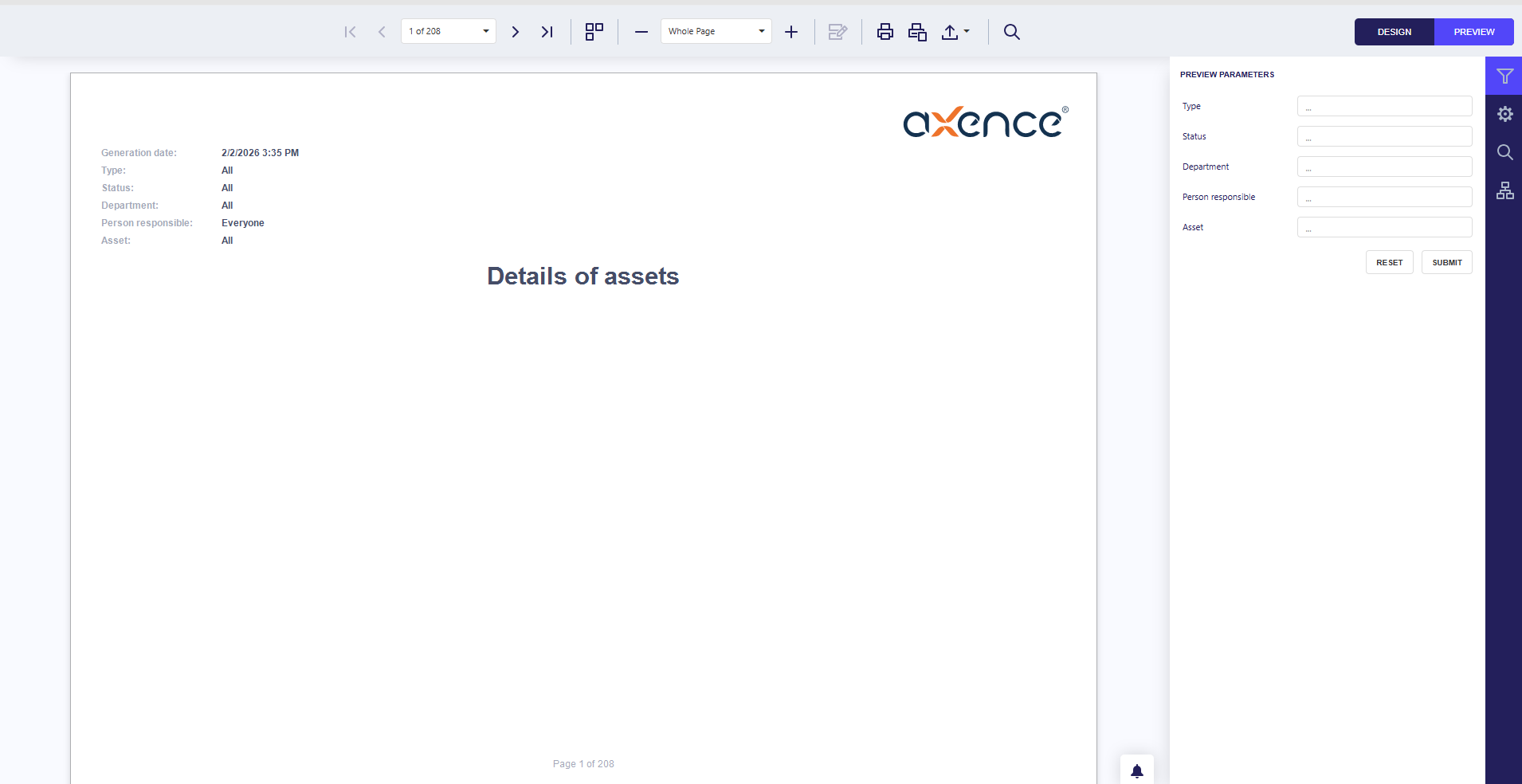
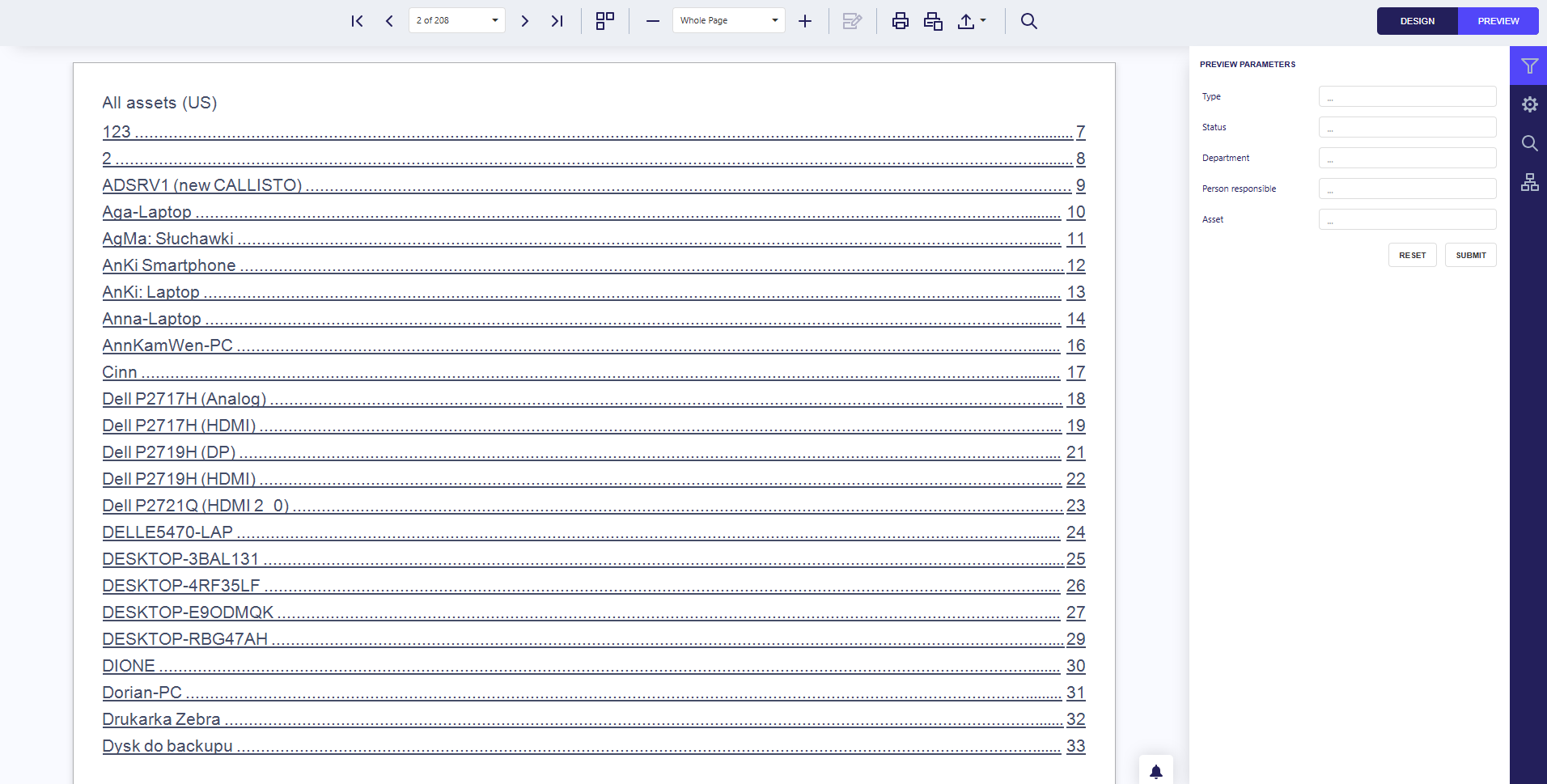
6.Check the report preview.
Next: Adding a page header. |