Language versions of reports


|
Language versions of reports |
|
|
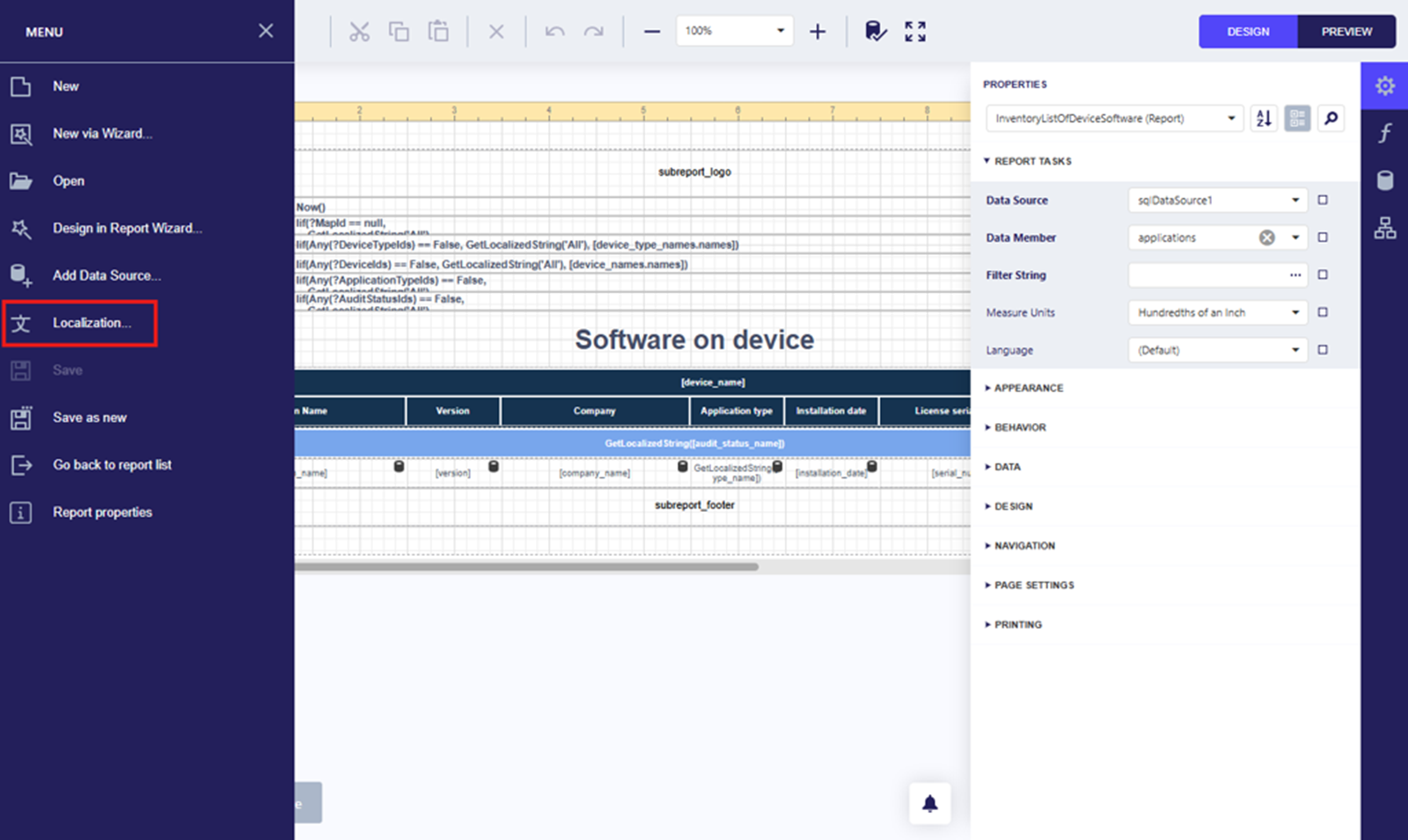
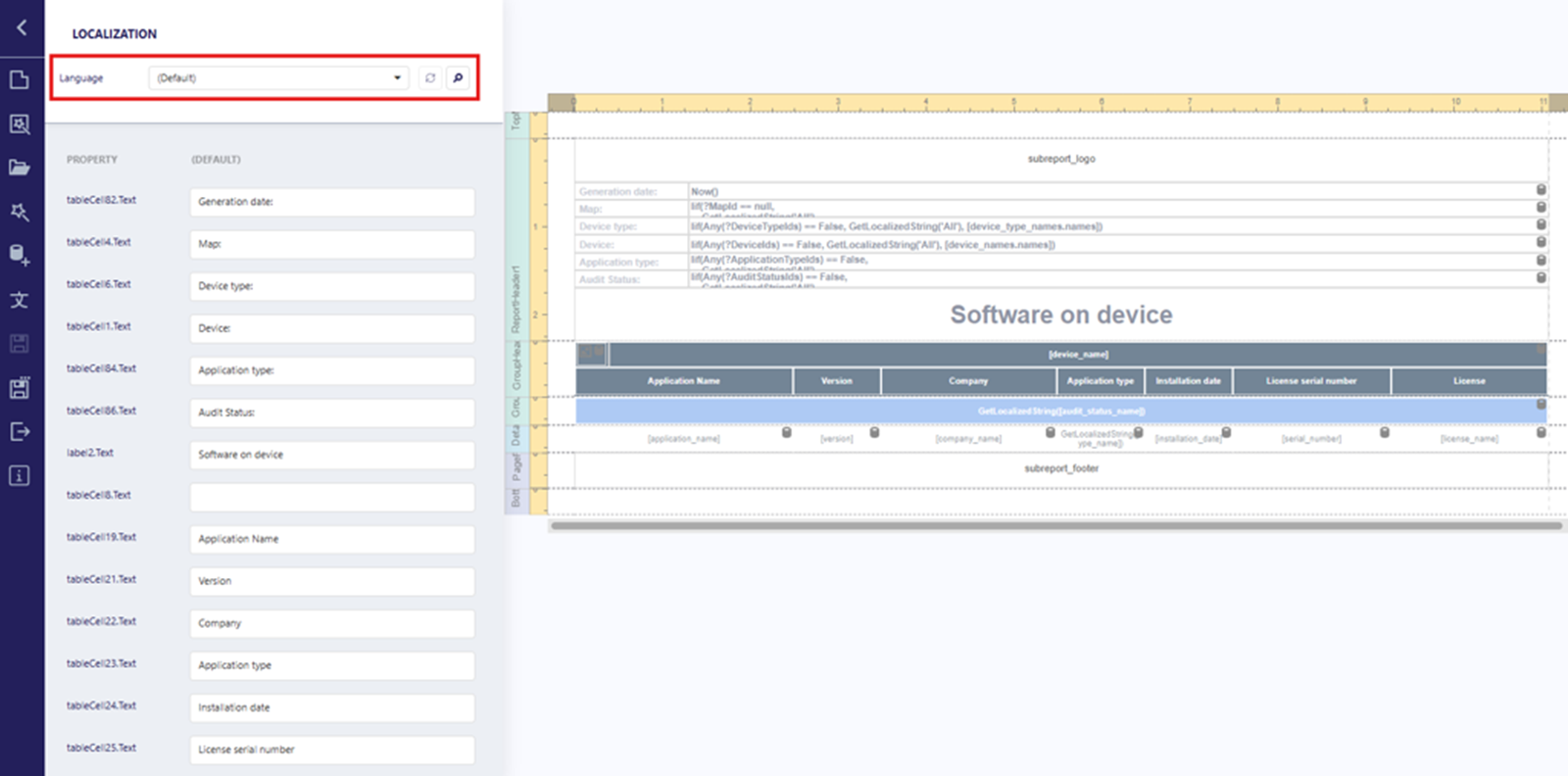
Each report – built-in or created by you – works in its default language version, that is, the one in which it was created. For built-in reports, the English version is the default. You can create translations in two ways, described below. Translation in the Localization section This method is convenient for elements of built-in reports. 1.In the side menu, select Localization. At first, the default language is selected, and the report uses the names of elements in this language.
2.Change the language and fill in the localization form.
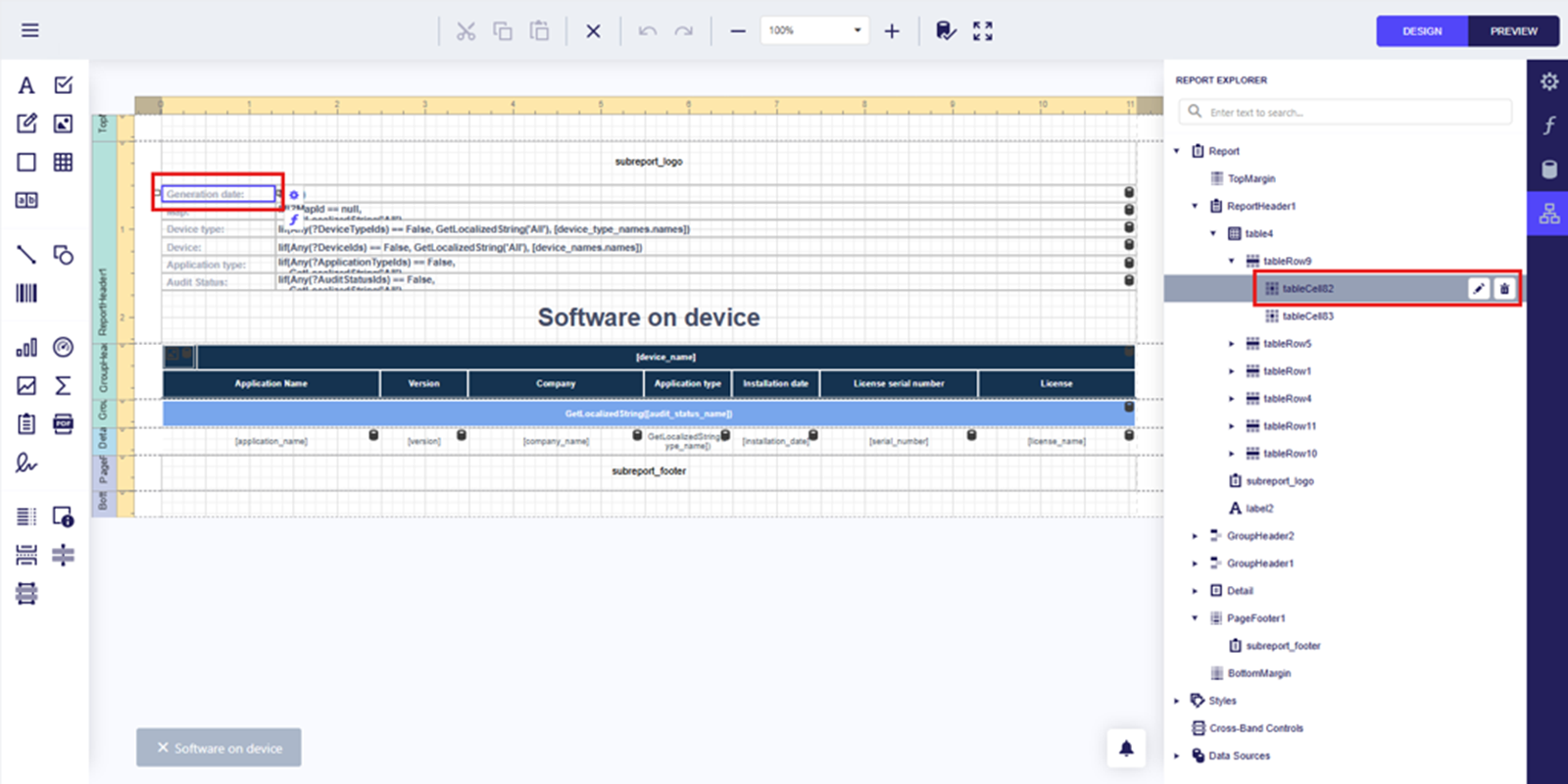
You can check exactly which field corresponds to which place in the report in the Explorer in the side pane.
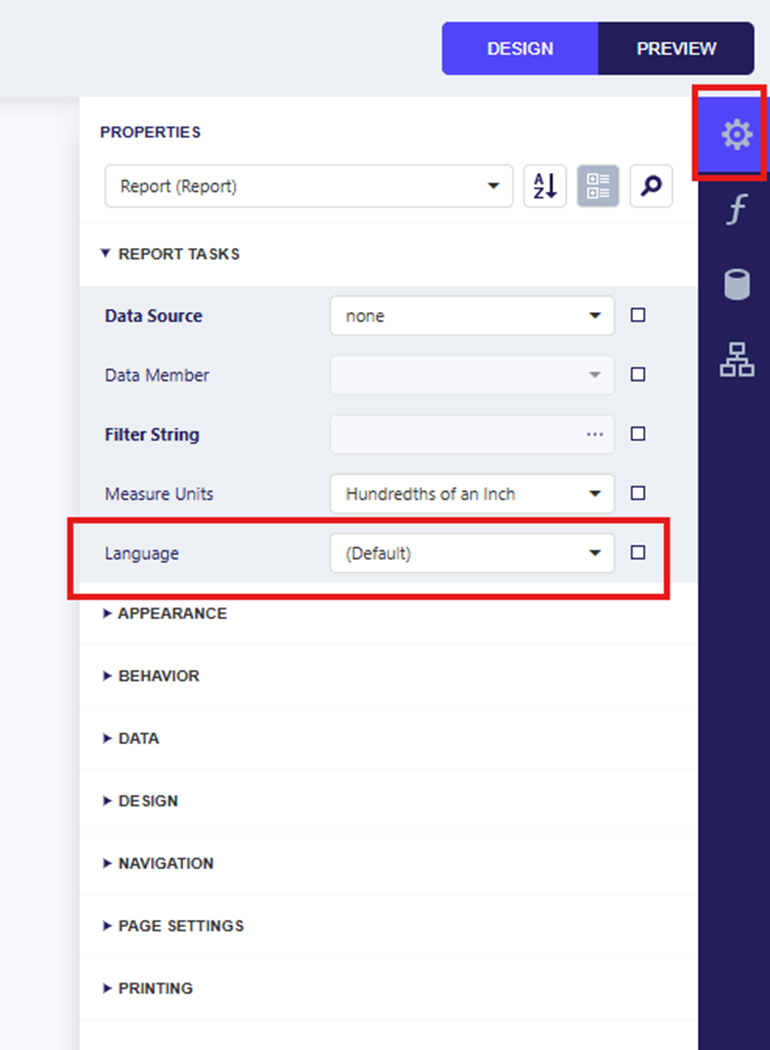
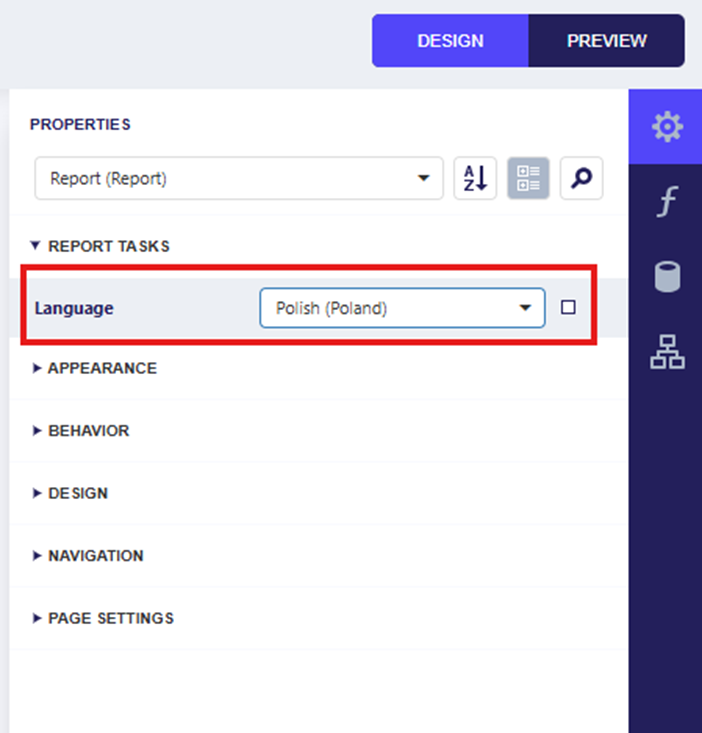
Translation of custom elements This method is useful for custom elements – added to existing reports or used in reports created from scratch. A new report is created in the default language version. You can check this by clicking on the main area of the screen around the report design – the Settings section of the whole report opens in the side pane. All text values that you assign to report elements will be default values: if an element has no translation into the selected language, the report shows the default text.
To add another language version: 1.Change the default language to the selected one.
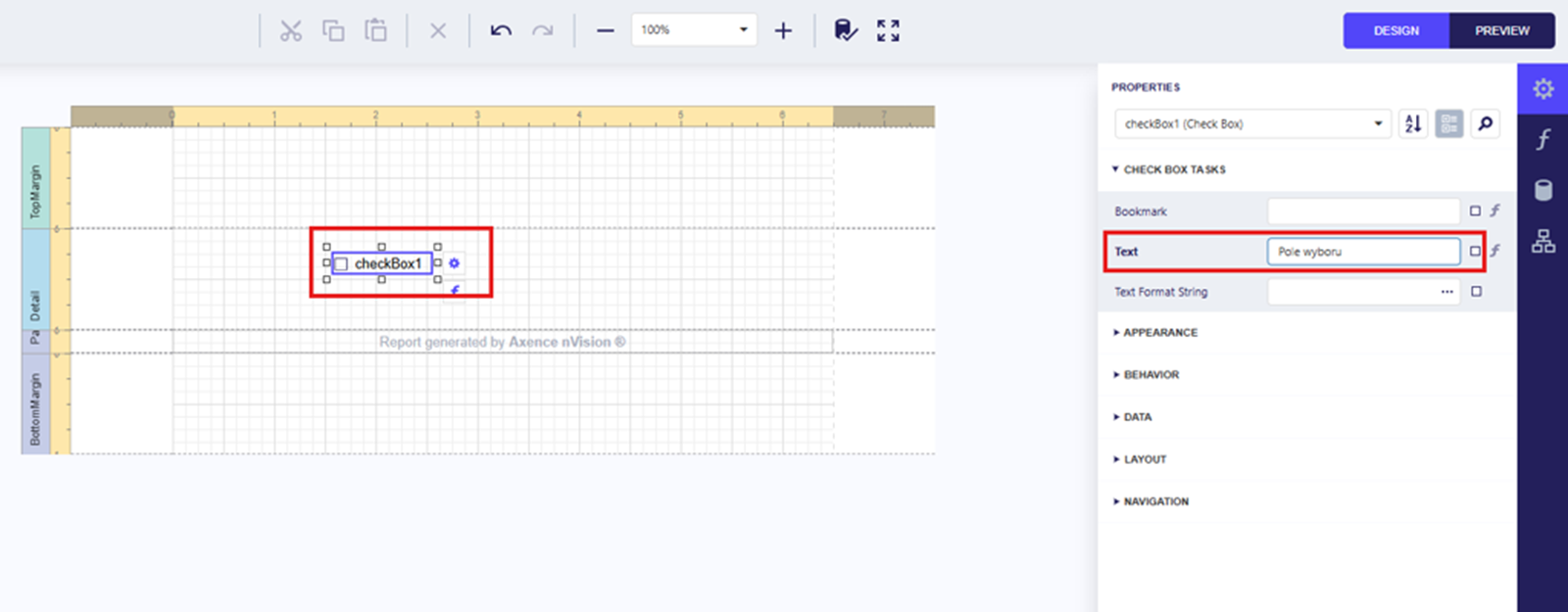
2.If necessary, adjust the general settings. They apply only to this language version. 3.For each existing or new element, prepare the language version: click on the element area and overwrite the default text value and, if necessary, other settings.
|