Report permissions


|
Report permissions |
|
|
By default, the role in reports depends on the user's role in Axence nVision®:
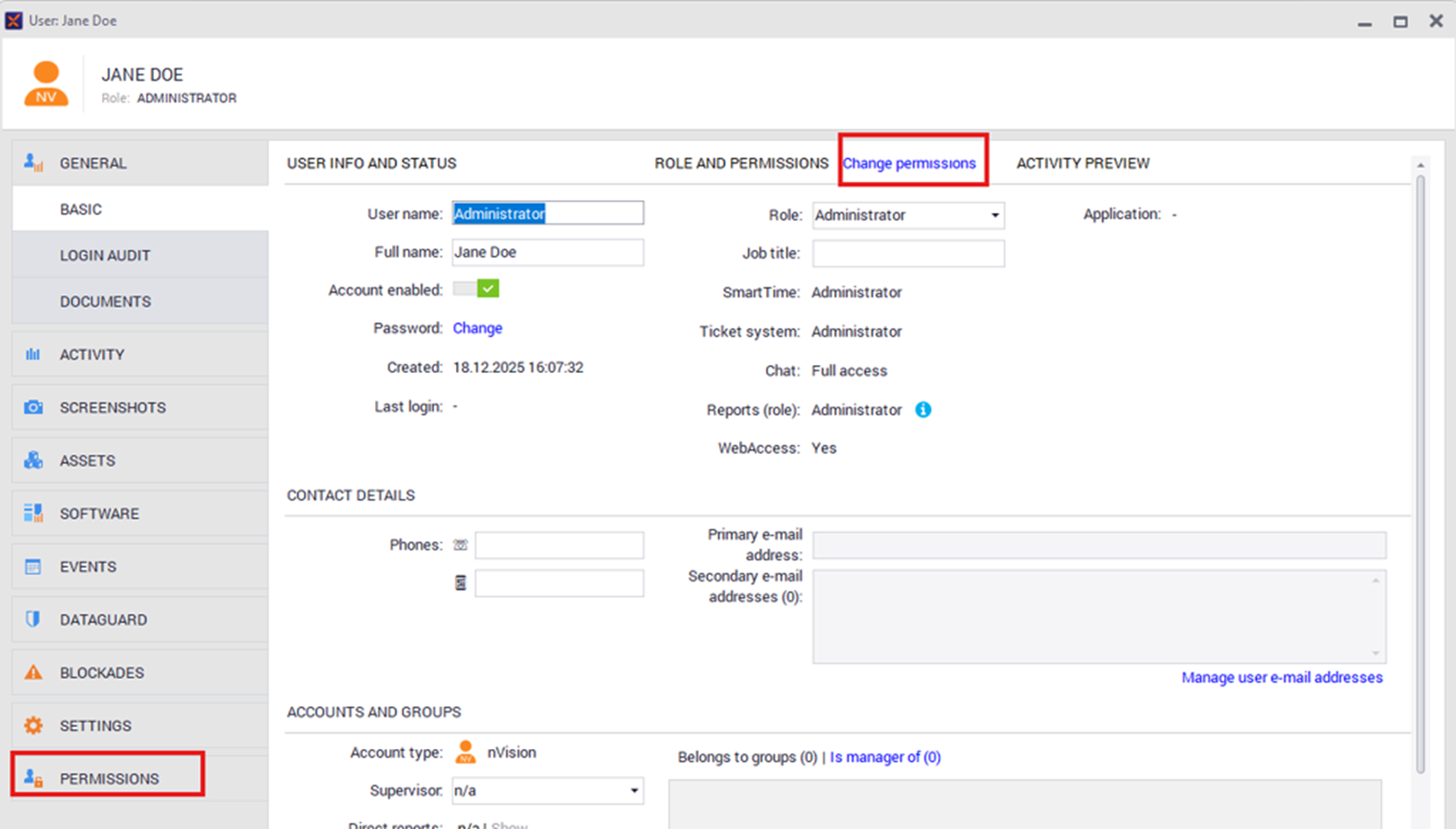
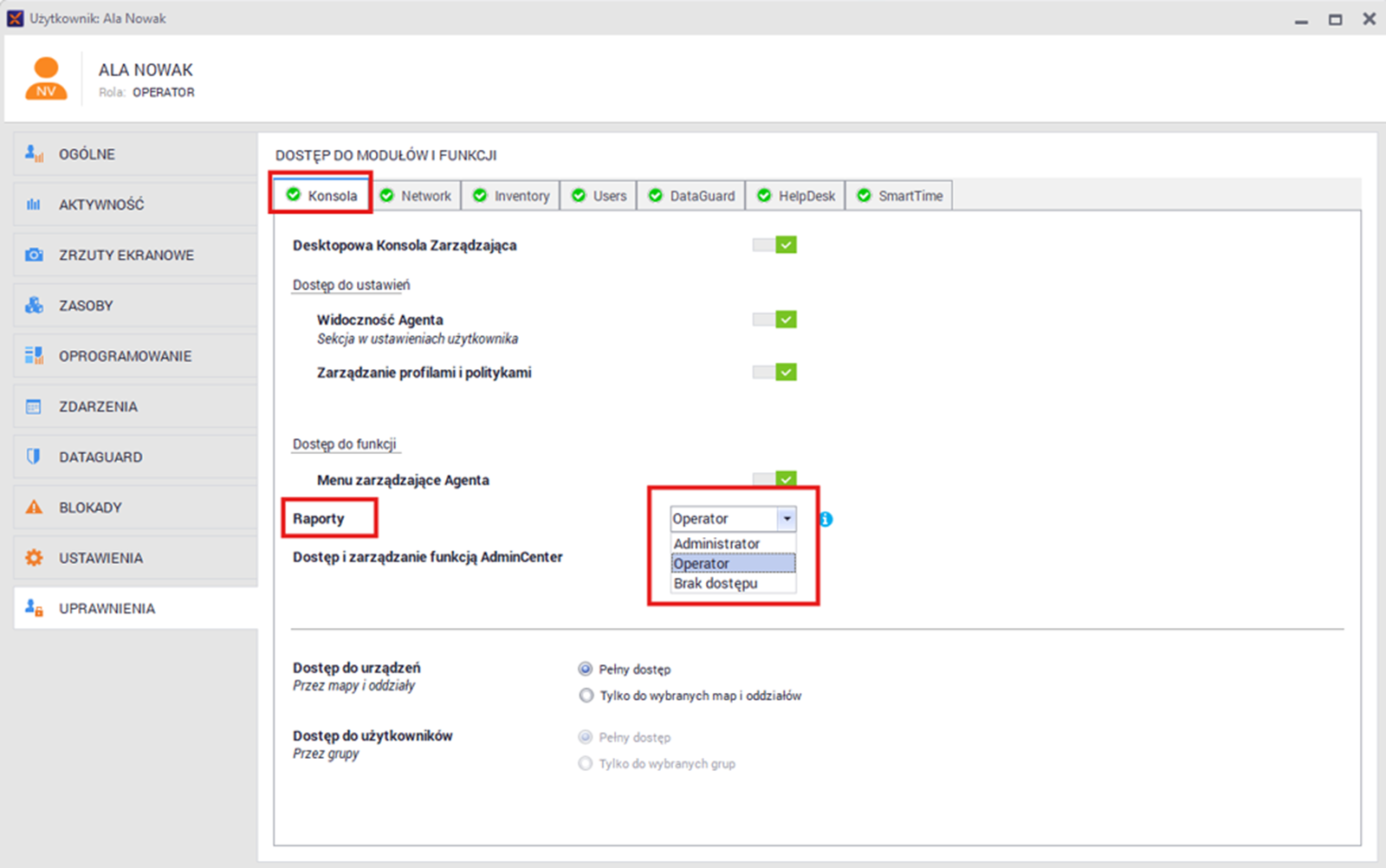
•Administrator has full access to all modules and data of Axence nVision®. The Administrator's role in reports cannot be changed: the Administrator role applies in all modules, including reports. •Operator has limited access to reports. Only for this role can you change the level of permissions in reports. •User has no access to reports. A User gets access only after their role is changed to Operator or Administrator. Changing permissions To change a user's role in reports: 1.Open the Permissions tab: click on the Change permissions link in the user edit window, or select the tab from the side menu.
2.Raise or lower the user's role in reports.
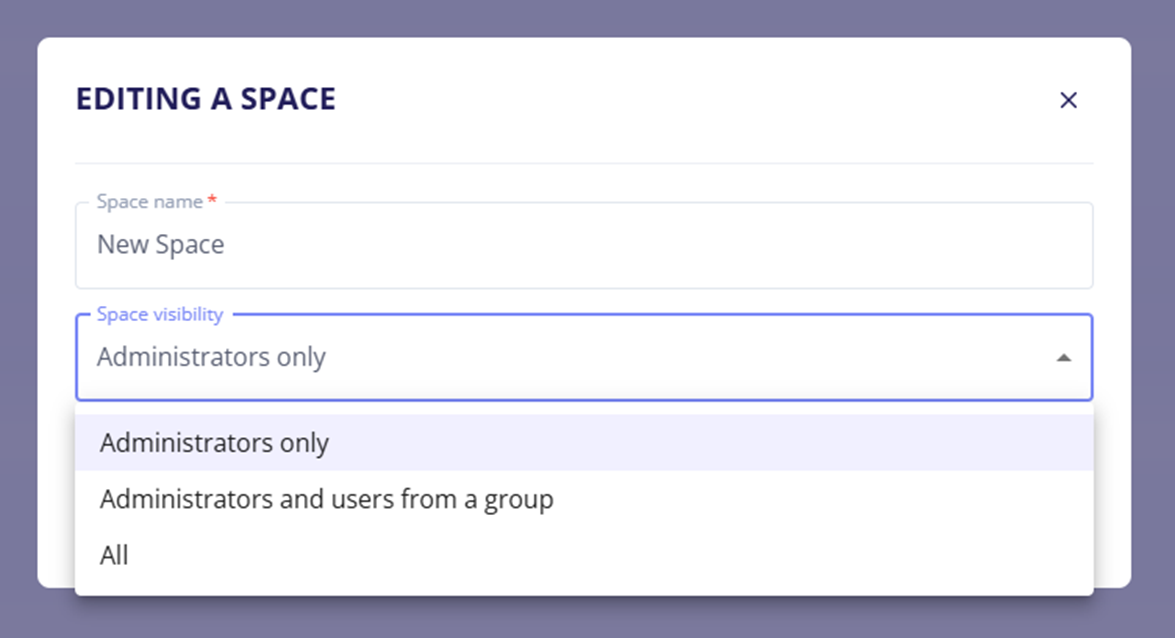
Access to spaces You can also restrict access to reports by changing the visibility of spaces (see Spaces and folders).
Important! A user without access to reports will not see them, even if you add the user to a group that a space is shared with. In practice, only the Operator and the Administrator have permissions in reports:
|