To manage the Syslog server:
1.On the Tools and Options page on the ribbon, select Syslog server. 2.The Syslog server window shows the system events recorded by the server. You can select the period for which the data is shown (hour, day, week, month). 3.To configure the server, click on [ Configure ] at the top of the window. 4.Set the listening port. Select the Server autostart checkbox if the server is to start automatically when the application starts. 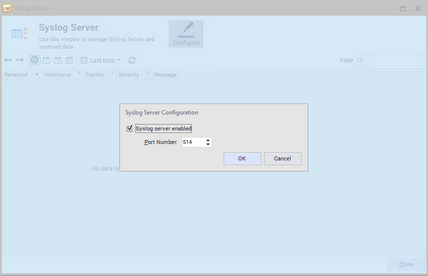
5.In the administration panel of the device, enter the address and port of the Syslog server to which messages are to be sent, that is, the address of the nVision server and the configured port. |


